วันศุกร์ที่ 11 กุมภาพันธ์ พ.ศ. 2554

แจก คู่มือการใช้งานโปรแกรม Microsoft Office Word 2007

คู่มือการใช้งานโปรแกรม Microsoft Office Word 2007

คู่มือโปรแกรม Microsoft Office Word 2007  สัมผัสกับ Microsoft Office Word 2007 โปรแกรมล่าสุดสำหรับงานด้านเอกสาร ตั้งแต่การติดตั้งโปรแกรมลงเครื่อง แนะนำส่วนประกอบบนหน้าโปรแกรม เครื่องมือและคำสั่งต่างๆ เริ่มสร้างและจัดการเอกสาร, การทำรายงาน, การออกแบบกราฟิกที่มีรูปแบบสีสันสำเร็จรูปให้เลือกแบบจุใจ และตารางสำเร็จรูป พร้อมฟีเจอร์ใหม่ๆ ไม่ว่าจะเป็นการจัดรูปแบบอักษรด้วยสไตล์ (Styles), คำสั่งช่วยแปลคำศัพท์ (Translate), สูตรสมการคณิตศาสตร์ (Equation), ปกรายงานพร้อมใช้ (Cover Page), สมาร์ทอาร์ต (SmartArt) และอื่นๆ อีกมากมาย ครอบคลุมถึงเมนูภาษาไทย และภาษาอังกฤษ
มีทั้งหมด 8 บทครับ


  •  บทที่ ๑ เริ่มต้นการใช้งาน 


  •  บทที่ ๒ การทำงานเกี่ยวกับในหน้าเอกสาร


  • บทที่  ๓ การทำงานด้านกราฟฟิค


  • บทที่ ๔ การสร้างสูตรหรือสมการ


  •  บทที่ ๕ การสร้างบล็อก Quick Part


  • บทที่ ๖ การสร้างจดหมายเวียน


  • บทที่ ๗ การจัดการเนื้อหา


  • บทที่ ๘ การจัดการเอกสาร


  • แถมอีก 1 บทความครับการพิมพ์สูตรคณิตศาสตร์ด้วย เวิร์ด 2007 หลายๆคนอาจใช้งานไม่เป็นรวมทั้งผมอีกคนหนึ่งเลยเอาให้เพื่อนๆครับ
    การพิมพ์สูตรคณิตศาสตร์ด้วย เวิร์ด 2007

    มีอะไรใหม่บน windows 7

    วินโดว์ 7 มีอะไรใหม่

    snap

    คือการขยายและจัดตำแหน่งให้กับหน้าต่าง  โดยการลากตรงขอบของงหน้าต่าง แล้วไปวางไว้ริมหน้าจอ อาจขยายหน้าต่างตามแนวตั้งหรือ แสดงขึ้นคู่ เพื่อเปรียบเทียบกันระหว่างสองหน้าต่างได้

    homegroup

    เป็นการกำหนดการใช้งานร่วมกันไม่ว่า เป็นการแชร์รูปภาพ เพลง เครื่องพิมพ์ ไฟล์ต่างๆ ในกรณีที่เราติดตั้ง  windows 7 ตั้งแต่สองเครื่องขึ้นไปในบ้าน หรือในที่ทำงานเราสามารถสร้างโฮมกรุ๊ป ขึ้นมาเพื่อใช้งานร่วมกัน แล้วแชร์ด้วยโฟล์เดอร์พิเศษ  และยังสามารถกำหนดค่าให้เป็นแบบอ่านอย่างเดียว หรือให้มีสิทธิ์แก้ไขได้ ในโฮมกรุ๊ปเดียวกัน 

    วันนี้ขอพักไว้เพียงเท่านี้เดี๋ยวมานำเสนอใหม่ กับ windows 7

    วันศุกร์ที่ 21 มกราคม พ.ศ. 2554

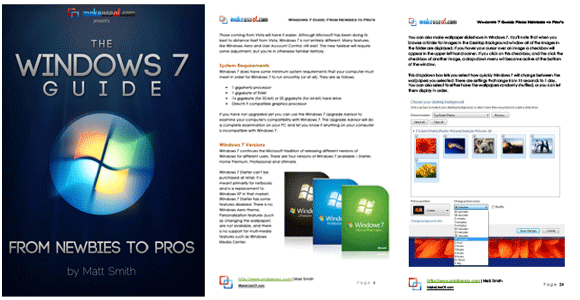
    Windows : ฟรีคู่มือ Windows 7: From Newbies To Pros

    Windows : ฟรีคู่มือ Windows 7: From Newbies To Pros            

    ฟรีคู่มือ Windows 7


    เอาคู่มือการใช้งาน Windows 7 แบบฟรีๆ มาให้โหลด เป็นคู่มือสั้นๆ 50 หน้า อ่านง่าย มีรูปประกอบ ขนาดไฟล์ 2.9 MB มีอยู่ทั้งหมด 8 Chapter ดังนี้

    Windows 7: From Newbies To Pros

    Chapter 1: Introduction
    Chapter 2 – Are We Compatible?
    Chapter 3 – Learning the New Taskbar
    Chapter 4 – Using and Customizing Windows Aero
    Chapter 5 – Windows 7 Libraries
    Chapter 6 – Windows 7 Software
    Chapter 7: Windows 7 Networking – Easy As Pie
    Chapter 8: Windows 7 and Gaming
    DOWNLOAD หรือ อ่านแบบออนไลน์ที่ Scribd
    via : http://www.makeuseof.com/tag/windows-7-guide-newbies-pros-free-pdf/

    credit : http://www.amphur.in.th

    คู่มือ Windows 7 ภาษาอังกฤษ 822 หน้า

    คู่มือ Windows 7 ภาษาอังกฤษ 822 หน้า .ใครเก่งภาษาอังกฤษมาโหลดได้เลย

    MCTS Self-Paced Training Kit (Exam 70-680): Configuring Windows 7
    Publisher: Microsoft Press | October 21, 2009 | ISBN:9780735627086 | Pages: 822 | PDF | 13 MB
    • This training kit is designed for IT professionals who operate in enterprise environments that use Windows 7 as a desktop operating system. You should have at least one year of experience in the IT field, as well as experience implementing and administering any Windows client operating system in a networked environment.
    • You should be able to install, deploy, and upgrade to Windows 7, including ensuring hardware and software compatibility. Additionally, you should be able to configure preinstallation and postinstallation system settings, Windows security features, network connectivity applications included with Windows 7, and mobile computing. You should also be able to maintain systems, including monitoring for and resolving performance and reliability issues and have a basic understanding of Windows PowerShell syntax.
    By using this training kit, you will learn how to do the following:
    Install, upgrade, and migrate to Windows 7.
    Deploy Windows 7.
    Configure hardware and applications.
    Configure network connectivity.
    Configure access to resources.
    Configure mobile computing.
    Monitor and maintain systems that run Windows 7.
    Configure backup and recovery options.
     
    Chapter 1 : Install, Migrate, or Upgrade to Windows 7
    Chapter 2 : Configuring System Images
    Chapter 3 : Deploying System Images
    Chapter 4 : Managing Devices and Disks
    Chapter 5 : Managing Applications
    Chapter 6 : Network Settings
    Chapter 7 : Windows Firewall and Remote Management
    Chapter 8 : BranchCache and Resource Sharing
    Chapter 9 : Authentication and Account Control
    Chapter 10 : DirectAccess and VPN Connections
    Chapter 11 : BitLocker and Mobility Options
    Chapter 12 : Windows Update and Windows Internet Explorer
    Chapter 13 : Monitoring and Performance
    Chapter 14 : Recovery and Backup
    Answers
    Glossary
    Index
    มีรูปประกอบ โหลดจากเว็ปนอก ยังไง ก็พอจะรู้เรื่องครับ
    ถ้าสนใจก็ลองโหลดไปอ่าน กันดูคัรบ
     
    link
     
     
    เครดิต คุณ oasis แห่ง 1000zeed